Make fanfic covers that update themselves
A guide for FanFicFare + Calibre users
You're already using FanFicFare to download fic and Calibre to manage it. This guide helps you make your library look good and show useful information at a glance, with covers that update automatically.
This is not a guide to setting up FanFicFare from scratch. If you need a more general, but advanced guide without emphasis on covers, I strongly recommend Stormy Crossroads' Calibre + Fanficfare tutorial. For thorough documentation there's the FFF wiki.
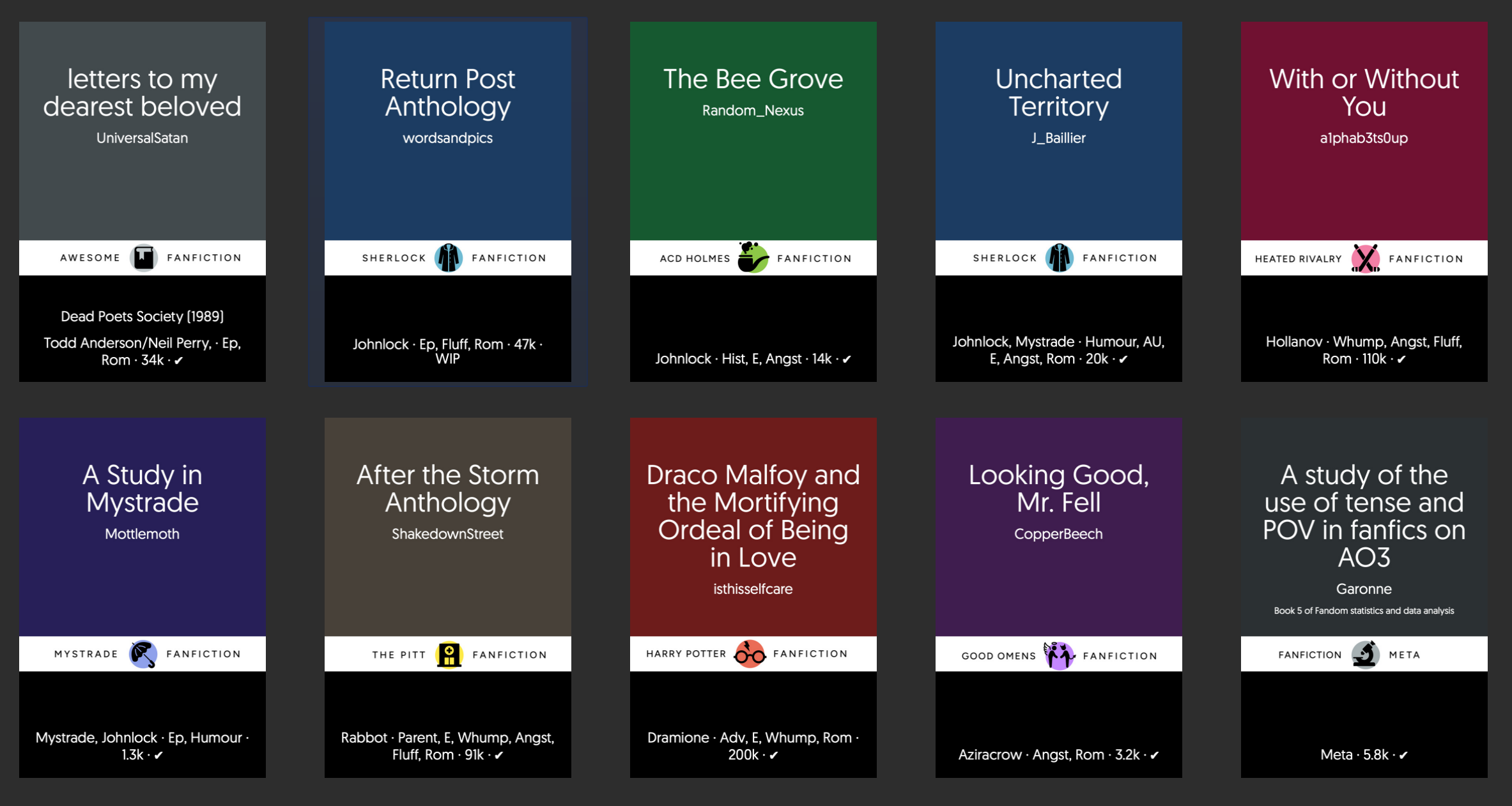
This is a sample from my own library. My covers use custom artwork for different fandoms—and sometimes different ships—and show the main ship, genre, length, and completion status. You can choose which of those details matter to you. The ready-made artwork in this guide uses a generic book symbol so it works for everyone, but you can edit it to add your own colours, layouts, and fandom icons.
Start here
Follow these four pages for a complete working setup. After that, choose only the optional recipes that match what you want on your covers.
Create your first cover
Import a preset and generate a working cover.
Step 2Set up your artwork
Use the included backgrounds or customize your own.
Step 3Add AO3 metadata
Connect fandom, ships, status, words, and chapters.
Step 4Generate covers with your metadata
Put saved values on a cover and update existing books.
Before you start
This guide starts after FanFicFare is installed and can download one fic successfully. Before beginning, install FanFicFare, download one public AO3 work into Calibre, and confirm that you can open the EPUB and see it in your library. You do not need any other configuration yet.
You'll need
- Calibre with the FanFicFare plugin installed and working
- The generate_cover plugin installed
- No coding experience. The guide explains where every setting and code block goes.
This guide is written with AO3 in mind. Settings may need adjustments for other sites.