Step 3: Simple custom columns
Map AO3 metadata to Calibre columns and use in your covers
Already have custom columns set up?
If you've already created and mapped your columns, skip to Step 4.
Custom columns let you save and use AO3 metadata — relationships, status, word count, rating — directly in your Calibre library. I’ll show you how to set up some basic columns to use in your cover, but you can use a lot more than these. Everything in this step is configured through the FFF GUI, no personal.ini editing needed.
1. Create the columns in Calibre
Open Preferences → Add your own columns. Click Add custom column at the bottom left.
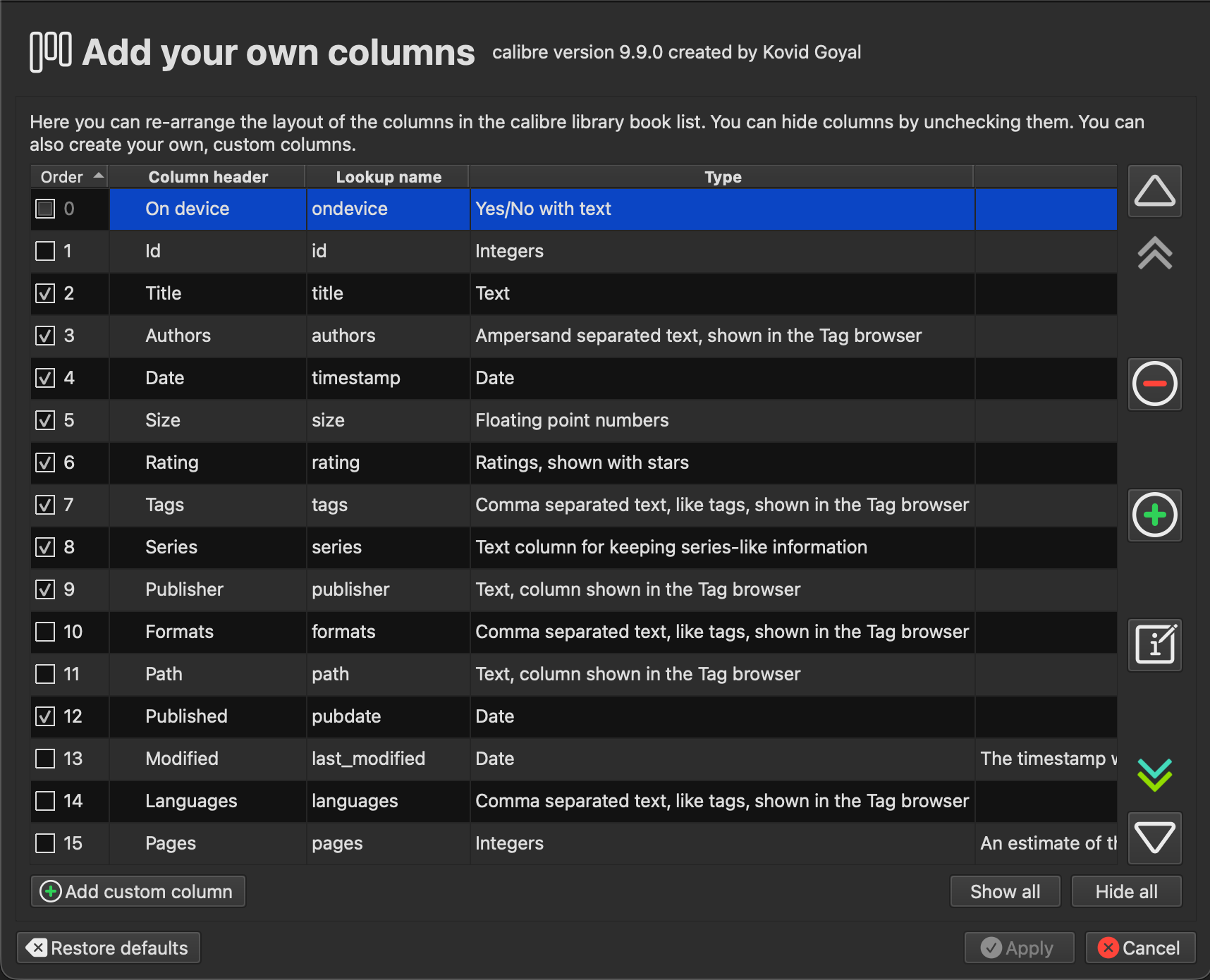
For each column you want, fill in the lookup name, a column heading, and the column type. The lookup name becomes the column’s identifier — Calibre prefixes it with # automatically, so fandom becomes #fandom.
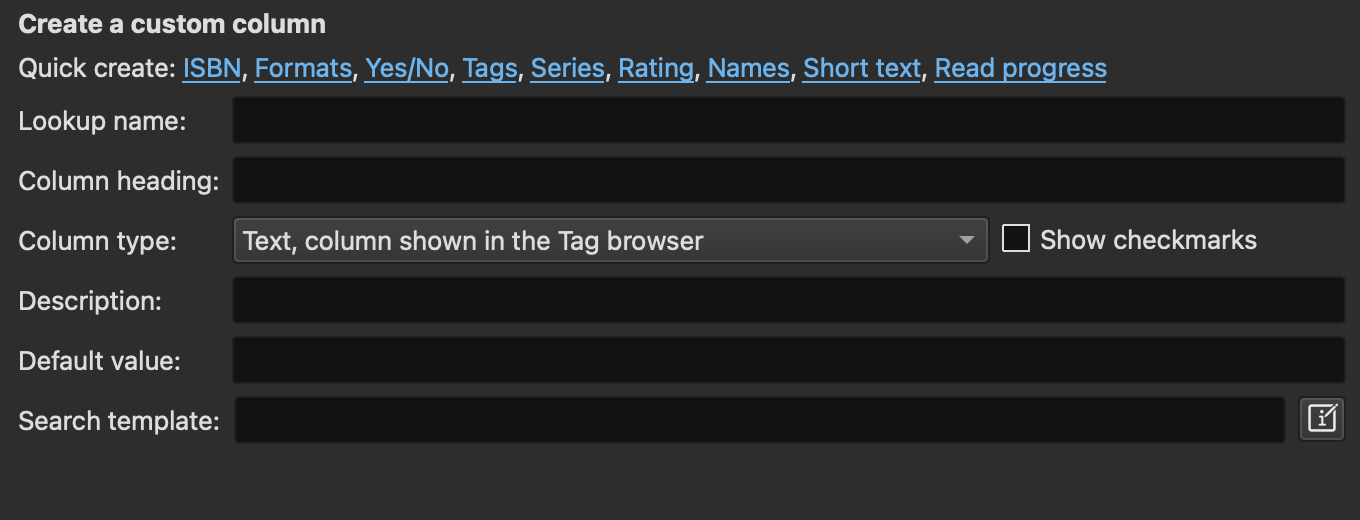
Here are the columns to create for this step:
| Column heading | Lookup name | Column type |
|---|---|---|
| Fandom | fandom | Comma separated text, like tags, shown in the Tag browser |
| Relationship/s | ship | Comma separated text, like tags, shown in the Tag browser |
| Status | status | Text, column shown in the Tag browser |
| Words | words | Integers |
| Content rating | contentrating | Text, column shown in the Tag browser |
Click Apply and restart Calibre when prompted.
2. Map them in FFF
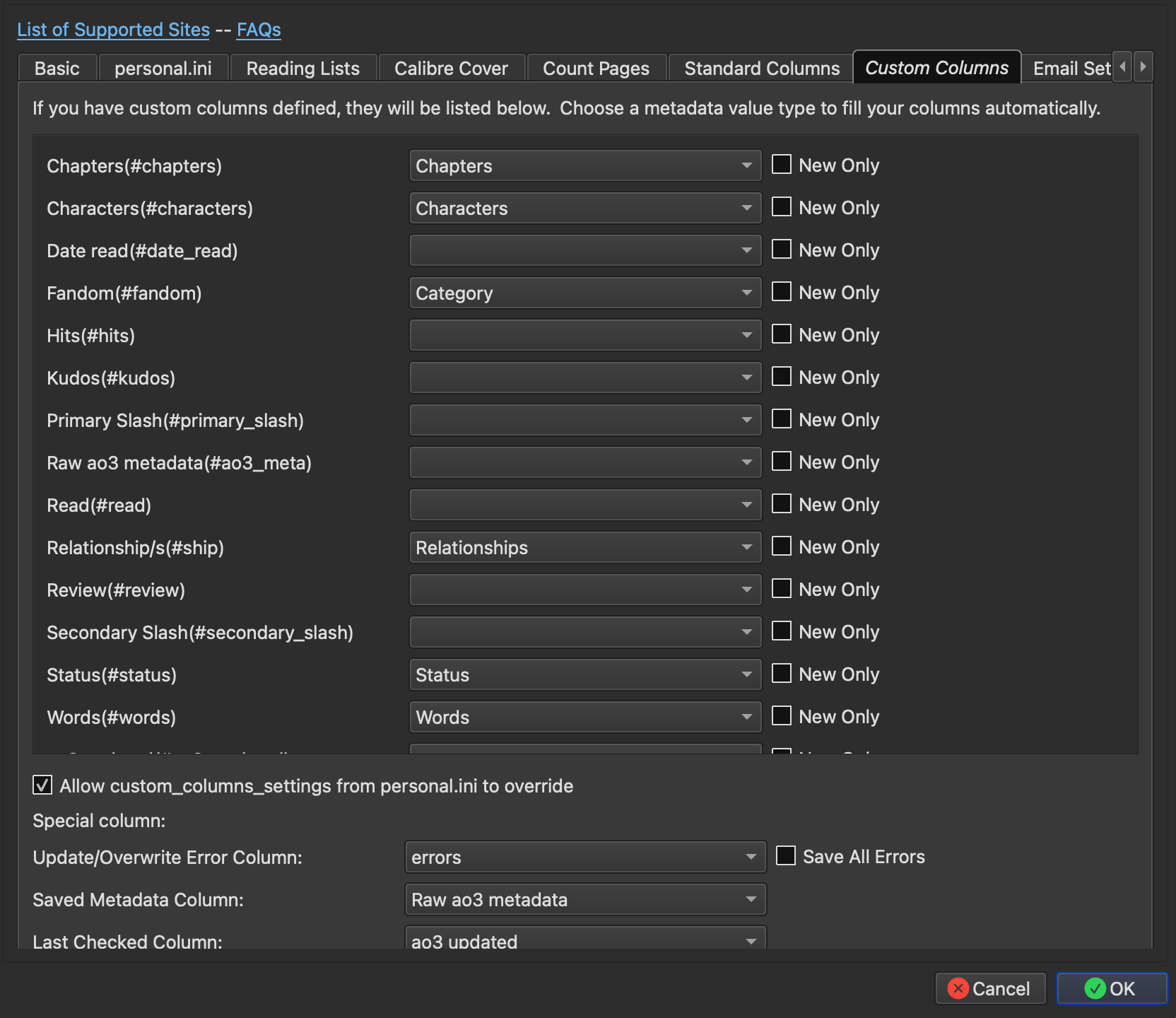
Open the FanFicFare plugin settings and go to the Custom Columns tab. Your new columns will appear in the list on the left. For each one, select the corresponding AO3 metadata field from the dropdown.
| Column | Map to |
|---|---|
| Fandom(#fandom) | Category |
| Relationship/s(#ship) | Relationships |
| Status(#status) | Status |
| Words(#words) | Words |
| content rating(#contentrating) | Rating |
The New Only checkbox next to each column controls whether FFF updates it on metadata refreshes or only populates it on first download. Leave it unchecked for these fields — you want them to stay current.
At the bottom of the tab, make sure Allow custom_columns_settings from personal.ini to override is checked. You’ll need this in later steps.
3. Using these columns in covers
Any custom column can be used in FFF’s generate_cover_settings using its lookup name. The #fandom column, for example, contains the same Category data already driving your fandom covers from step 2, but you add a rule for a different cover for completed fics, for example. As you add more columns you can get more specific: step 4 covers how to use ship data to select per-ship cover templates.
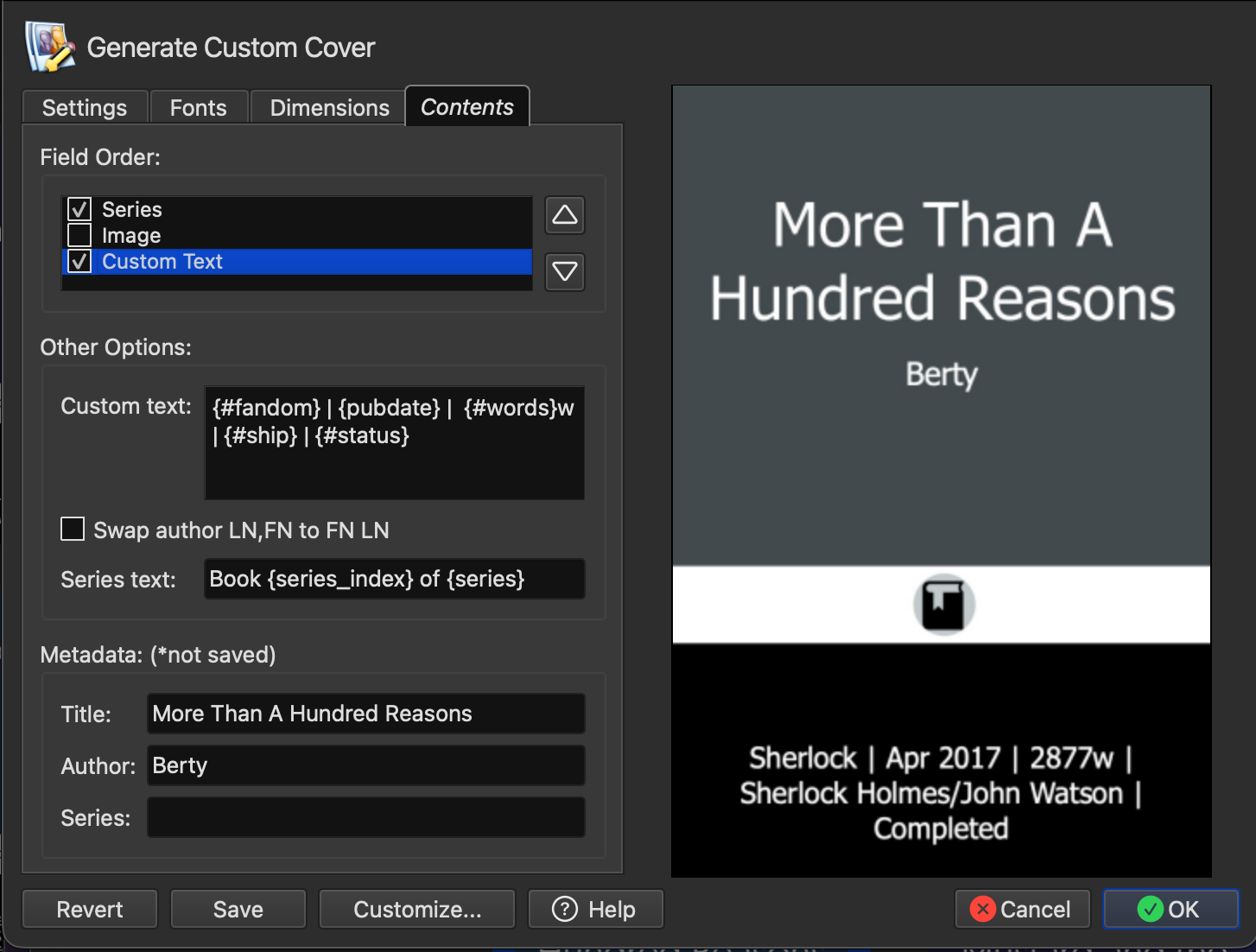
You can also display column values directly on covers using the {#custom_column} syntax in Generate Cover’s Contents tab. For example, adding {#status} to the custom text field will print the fic’s status on the cover.
What’s next
In step 4 you’ll learn how to tweak custom columns to get even more useful data for your covers.