What next?
Reading, finding and looking after your library, and ideas for later
You can now download stories, read them and keep them up to date. This page is a tour of what else you can do with them, and some ideas for later. Nothing here is required.
Read your stories
- On your computer: select a story and click View, as you did in Step 1.
- On a phone or tablet: use any e-book app that opens EPUB files, such as Apple Books on an iPhone or iPad, or Google Play Books on Android. Select a story in Calibre, click Save to disk to get its file, and move it to your device or open it in the app. How you open it depends on the app.
- On an e-reader: if you plug an e-reader into your computer with a cable, Calibre notices it and adds new buttons to the toolbar for sending stories to it.
- On a Kindle: Amazon’s Send to Kindle service accepts EPUB files and converts them for you.
Change a story, or change its details
Calibre has two different “edit” buttons, and they do different things.
- Edit metadata changes the details Calibre keeps about a story: its title, rating, tags and so on. You tried it in Step 1.
- Edit book opens the story itself, so you can fix its text or layout. It’s for more advanced tidying, and you don’t need it to read or collect stories.
Find and sort
You met three ways to find a story in Step 1: the search bar, the left panel, and clicking a tag or author in the details panel. You can also sort the book list: click a column heading, such as Date or Rating, to sort by it. Click the same heading again to reverse the order.
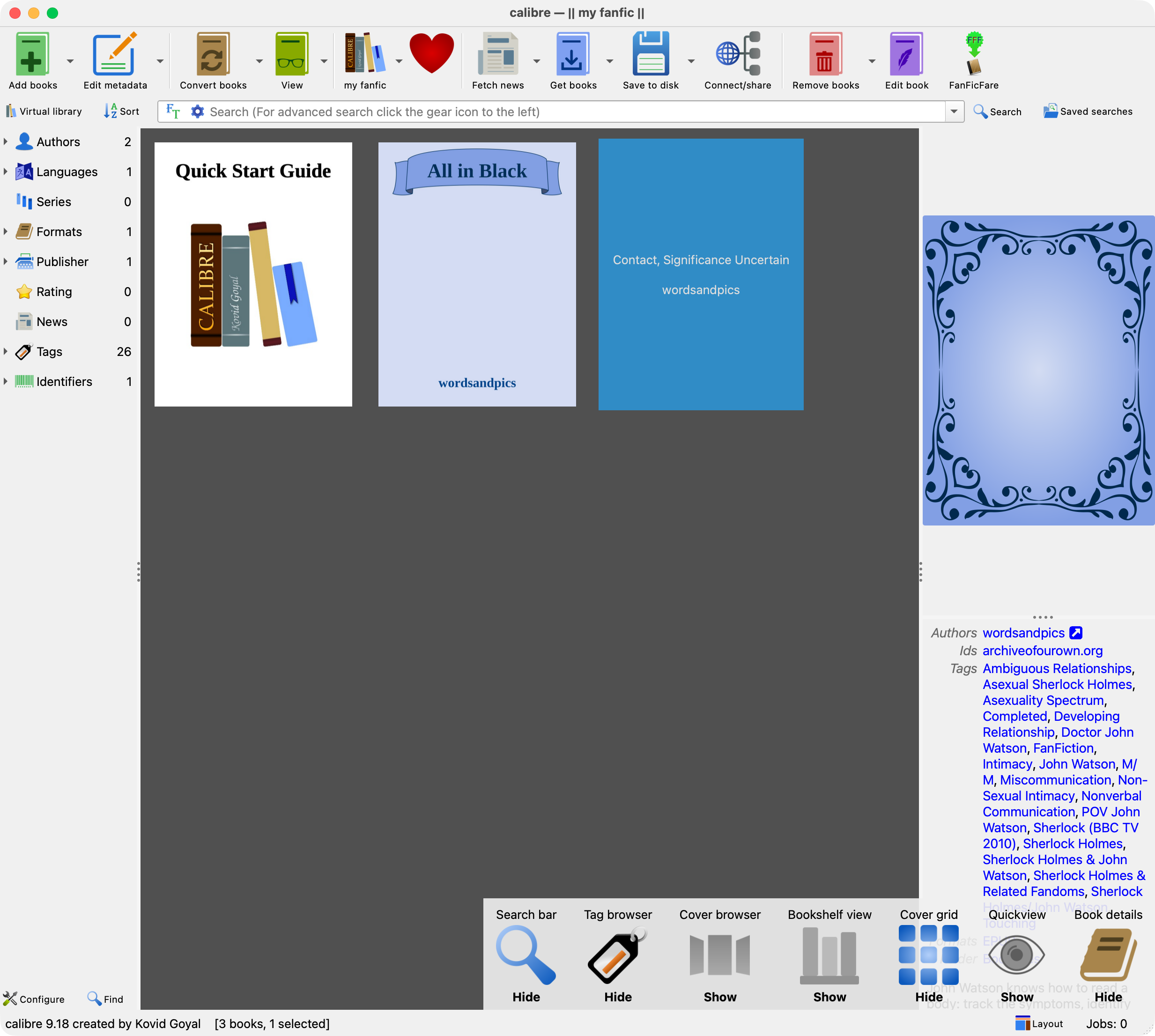
Prefer to browse by cover? Click the Layout button at the bottom right of the Calibre window. A panel opens listing parts of the window you can show or hide. Choose Cover grid to see your books as a grid of covers.
Look after your library
Your Calibre library is an ordinary folder on your computer. If these stories matter to you, copy that folder to somewhere safe every so often, such as an external drive. Close Calibre first, so the copy is complete.
Ideas for later
These are things you can explore beyond this guide. I might write tutorials for some of them at some point, but no promises.
- Covers that make themselves. FanFicFare can give every story a cover of its own, showing details such as ships, length and status. There’s a separate guide for that: fff-covers.
- Updating from email. AO3 can email you when a story you follow has a new chapter, and FanFicFare can use those emails to update only the stories that changed.
- Series as one book. A plugin called EpubMerge can combine the stories of a series into a single book.
- Your own columns. Calibre lets you add columns to the book list, for example to sort stories by their status or by the pairing they’re about.
- Tidying tags. AO3 tags can be long and messy. Calibre and FanFicFare have ways to clean them up.
That’s it
You’ve built a small fanfic library of your own. Enjoy your stories.