4. Download a story from its link
Add a story to Calibre straight from its AO3 address
FanFicFare can download a story if you give it the link. It reads the story from AO3, builds an e-book (an EPUB file) and adds it to your Calibre library, together with the details Calibre uses to organise it: title, author, summary and tags.
In this step you’ll download one short story. I’ll use one of mine so you can follow exactly, but any public AO3 story works the same way.
1. Copy the story’s link
Open the story’s page on AO3 and copy its address from your browser’s address bar. For my example story, it looks like this:
https://archiveofourown.org/works/79605291
2. Open the download window
In Calibre, click the FanFicFare button in the toolbar. A menu opens. Choose Download from URLs.
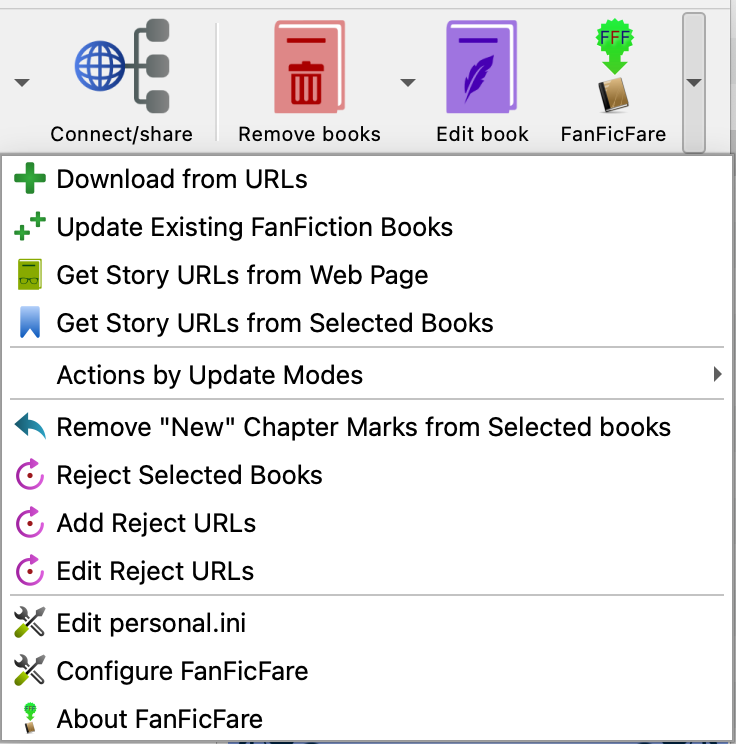
Click the small arrow next to the button instead, or check that you ticked FanFicFare button opens menu? in the previous step.
A small window opens with the link already filled in. That’s because FanFicFare looks at the last thing you copied. If the box is empty, paste the link into it (Ctrl+V on Windows, Cmd+V on Mac).
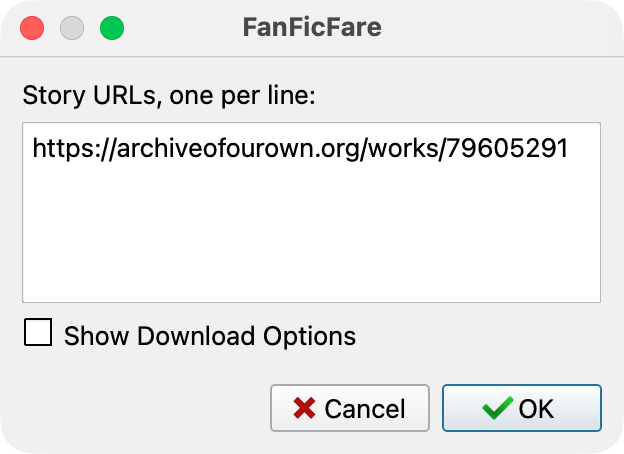
Leave Show Download Options unticked. The standard choices are the right ones for now.
3. Start the download
Click OK. A small window shows progress while FanFicFare fetches the story, and the Jobs counter at the bottom right of Calibre tells you work is happening in the background.
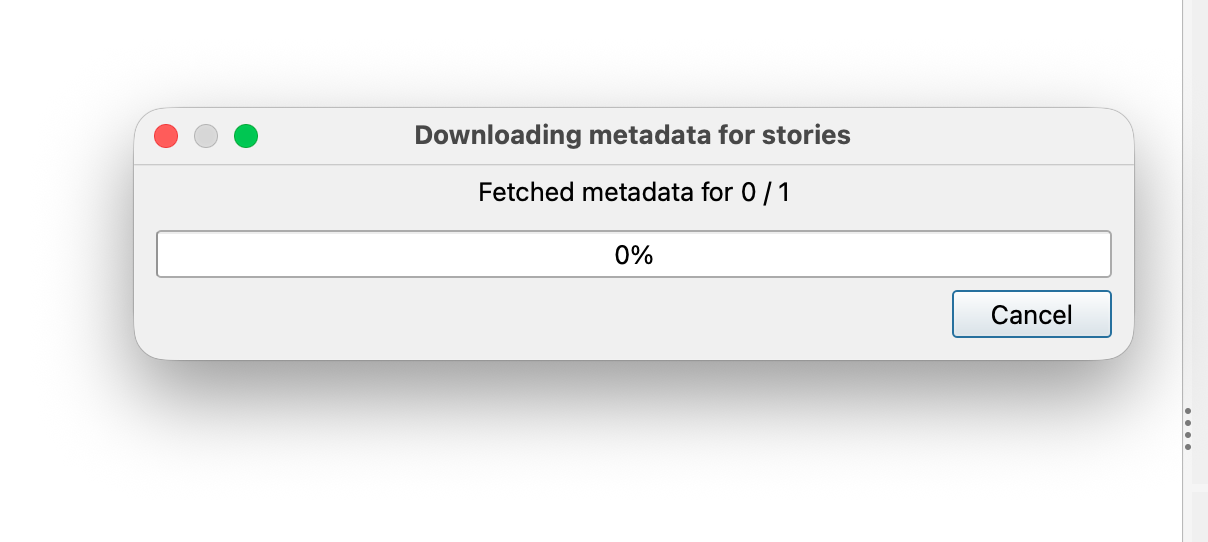
On my computer, a short story takes about 15 to 20 seconds.
The first time FanFicFare uses its "Camoufox" browser (set up in the previous step), Calibre has to download that browser first. Please be patient and leave Calibre open until it finishes. Later downloads are much quicker.
4. Say yes to add it
When FanFicFare finishes, a window says it found 1 good and 0 bad updates and asks Proceed with updating your library?
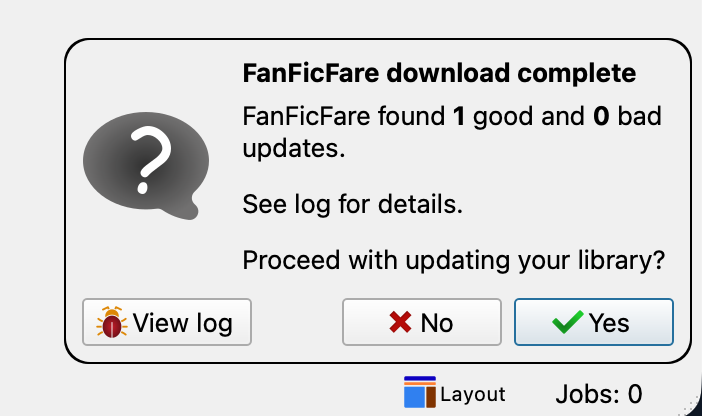
That wording is odd for a brand-new story. FanFicFare uses the same message for downloads and for updates. “Good” means a story downloaded fine, and “bad” means one failed. Click Yes to add the story to Calibre. View log is only for when something goes wrong.
5. Look at what you got
Your story appears at the top of the book list. Click it to see its details on the right.
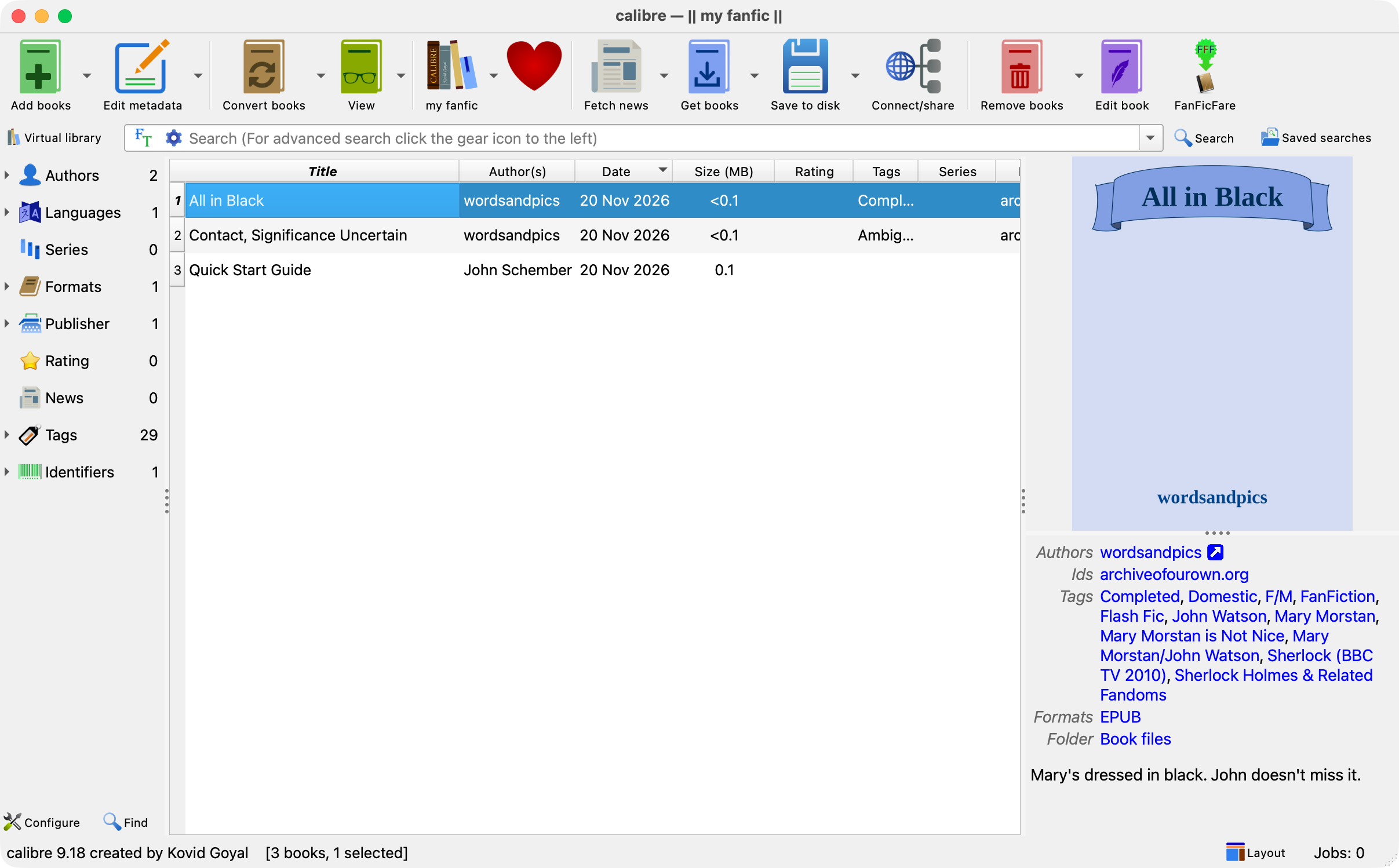
- Tags come from AO3: fandom, characters, relationships and the story’s own tags.
- Ids holds the link back to the story’s page on AO3. FanFicFare uses it later to check for new chapters.
- The summary appears underneath.
- The cover is a plain one made automatically from the title and author. A story from AO3 has no cover of its own.
To read it, select the story and click View, just as you did in Step 1.
- The story is marked "bad", or an error appears: click View log. Numbers like 403 or 429 mean AO3 turned the automatic download away, which it sometimes does. Wait a few minutes and try again, and check that the
use_camoufox:trueline from the previous step is in your settings. - The story is only for logged-in AO3 users: a small window asks for your AO3 username and password. Fill them in and click OK. The previous step shows how to store them so you aren't asked every time.
- The story is rated Mature or Explicit: a window asks Are You an Adult?. If you are, click Yes. The previous step shows how to stop being asked.
Next
You now have a story that Calibre knows came from AO3. In the next step you’ll see why that matters: FanFicFare can use that link to fetch chapters that were posted after you downloaded it.